
Fasting Timer
For iPhone · Coming soon
Intermittent fasting, made simple
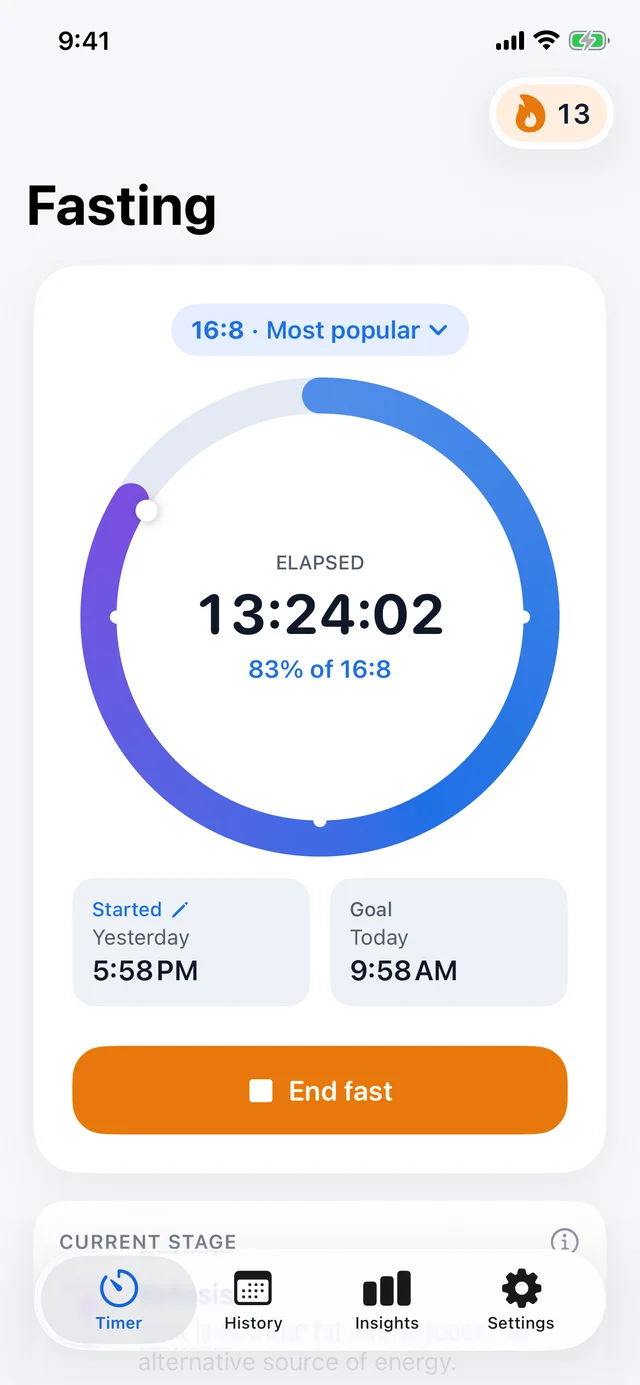
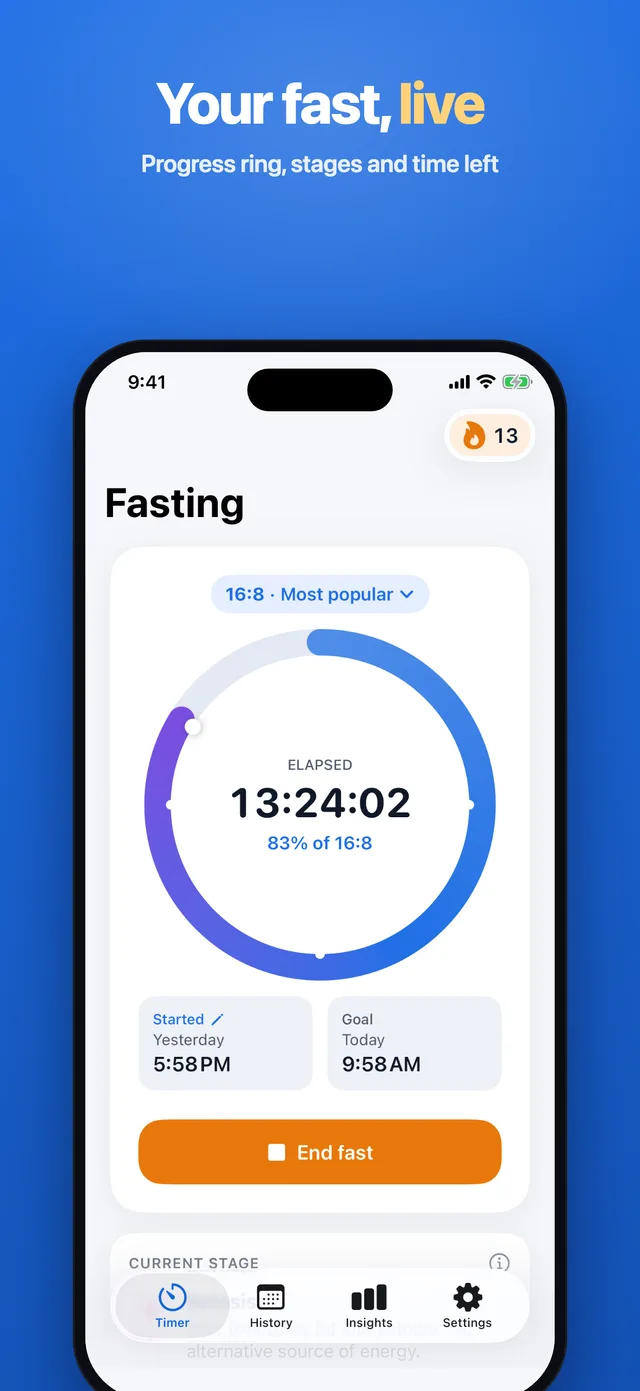
Pick a plan like 16:8, 18:6 or OMAD, tap start and watch the ring fill up. Fasting Timer shows how long you have fasted, how much is left and which fasting stage you are in, from fat burning to ketosis.
Follow your fast from the Lock Screen and the Dynamic Island, log your water and build a streak day after day. The timer and the daily plans are free.
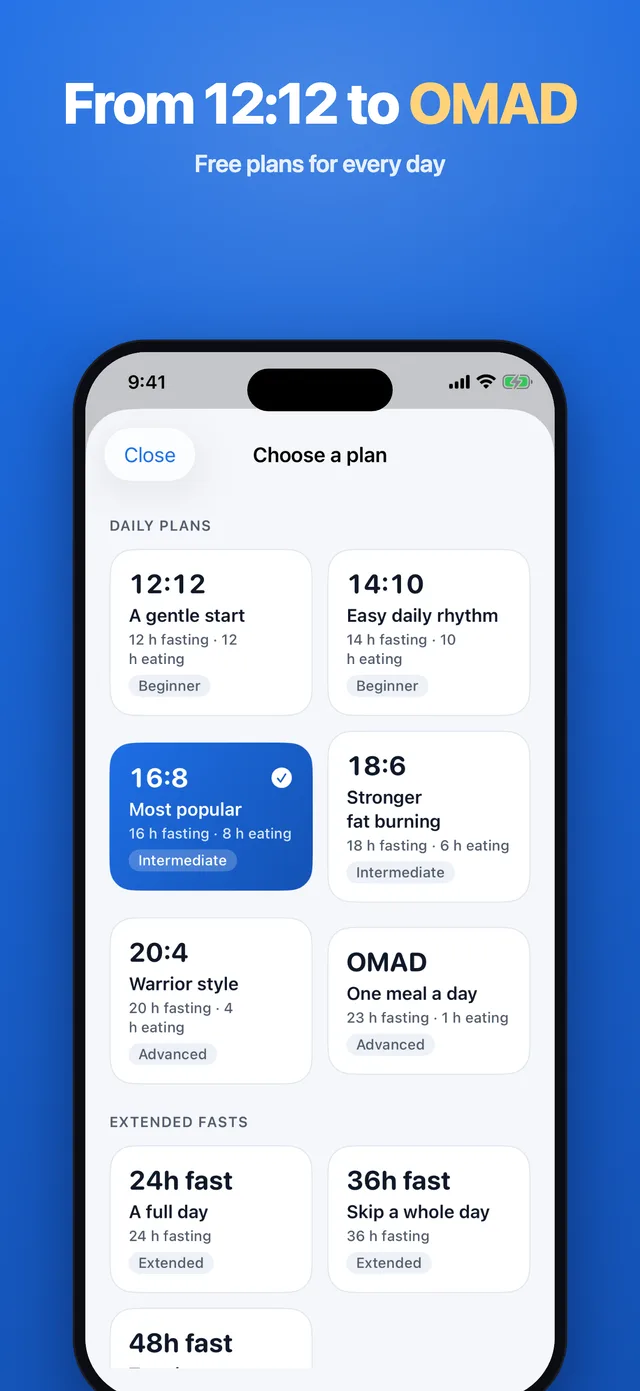
- Plans from 12:12 to OMAD, free
- Live Activity and widgets
- No account needed
Fasting stages are general information, not medical advice. Talk to your doctor before fasting, especially if you are pregnant, have diabetes or another medical condition.
Screenshots
Inside the app
Features
What Fasting Timer does
A live fasting timer
A progress ring with elapsed or remaining time, your start and goal times, and a reminder when your fast is complete. Forgot to tap start? Edit the start time.
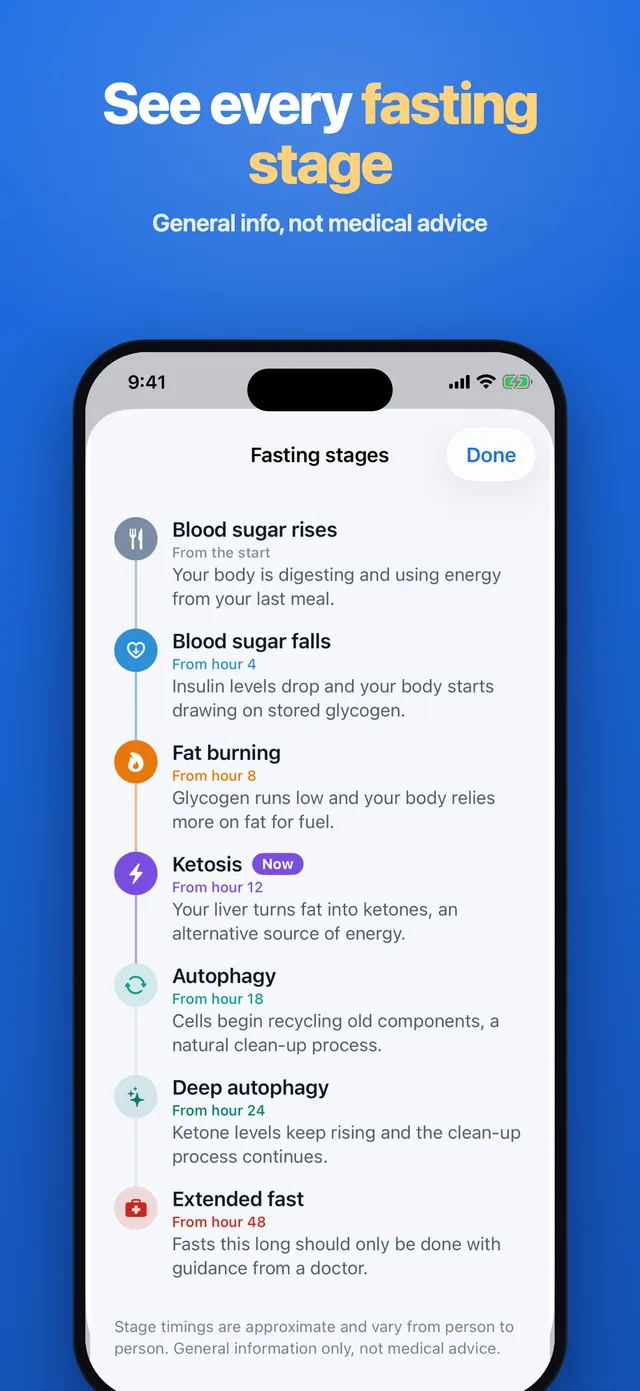
Fasting stages, live
See when you move from blood sugar to fat burning, ketosis and autophagy, with what usually happens in each stage.
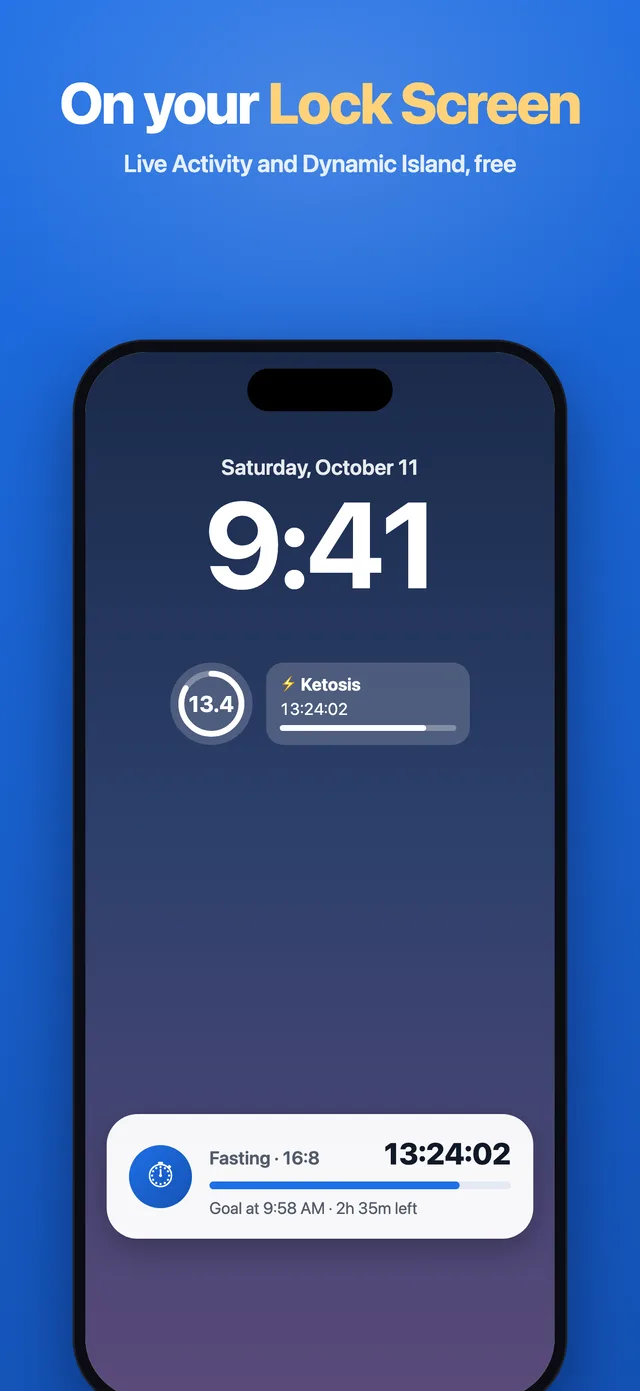
On your Lock Screen
A Live Activity and the Dynamic Island show your fast without opening the app, plus Home Screen and Lock Screen widgets.
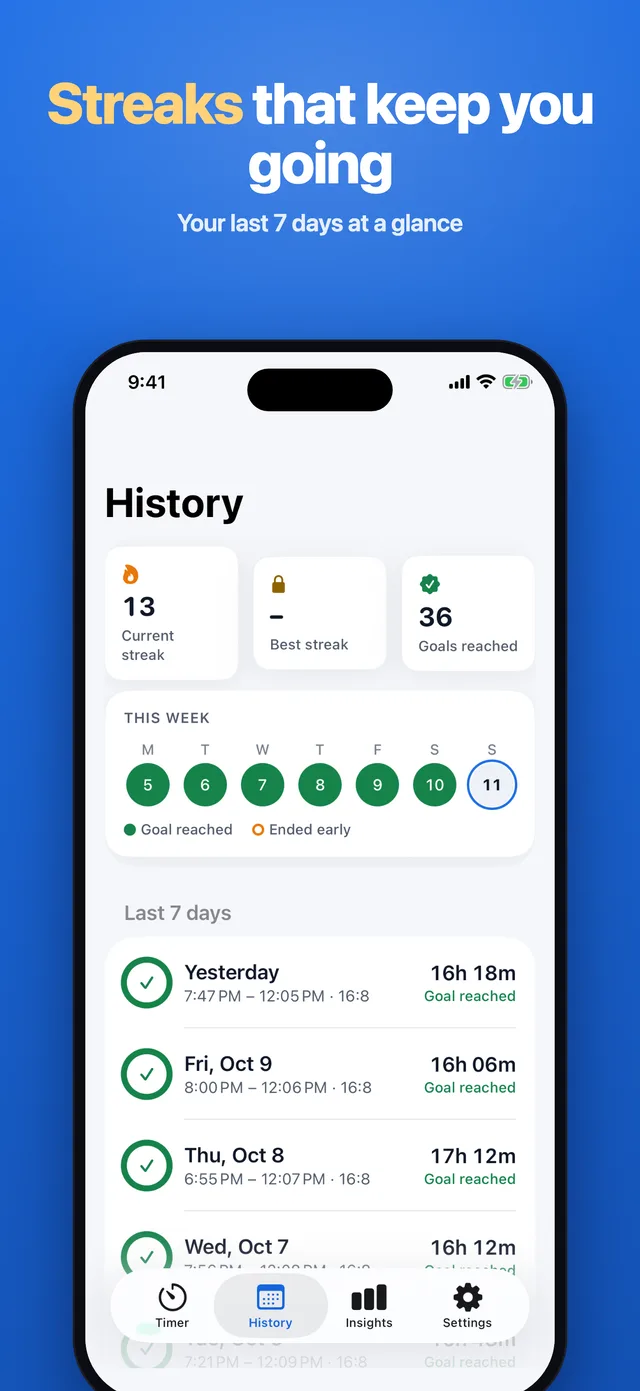
Streaks and water
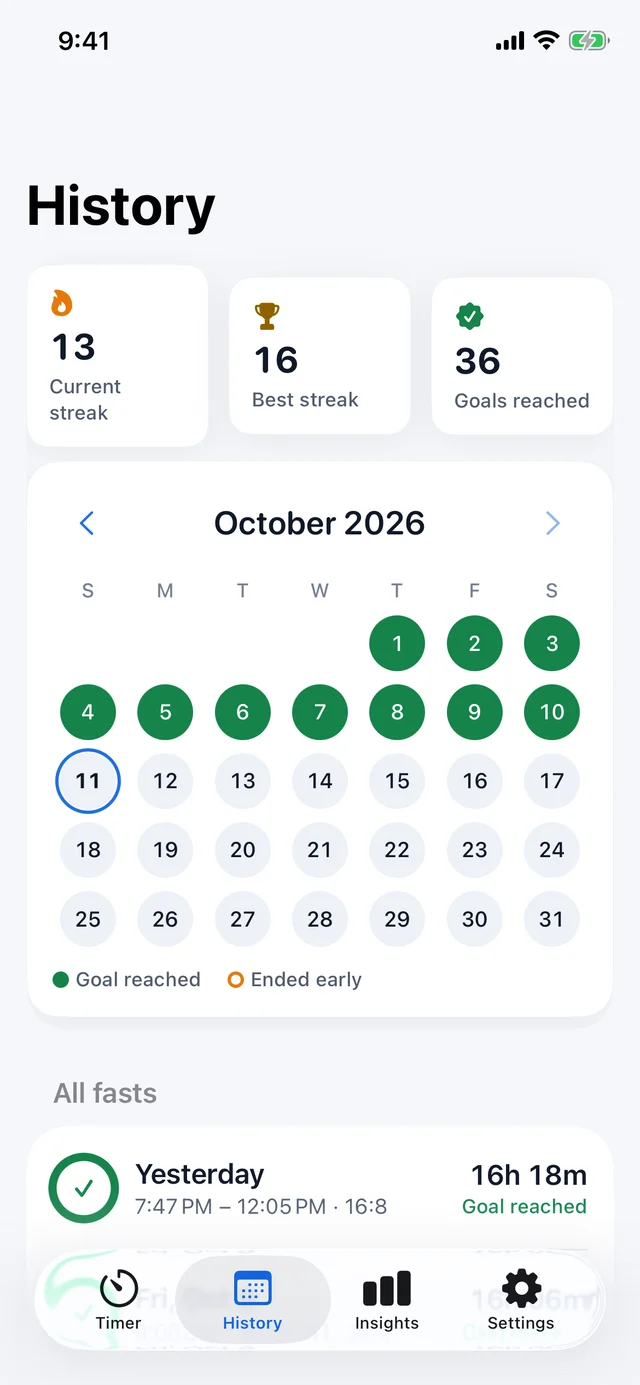
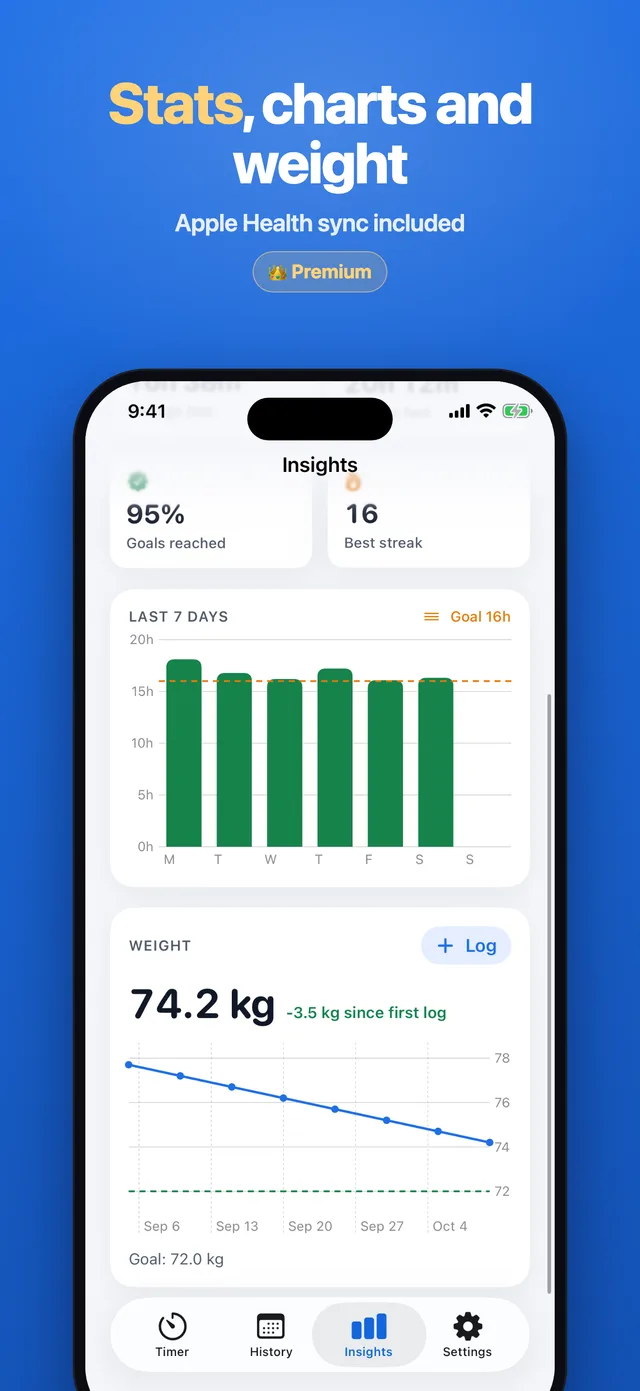
Reach your goal on consecutive days to build a streak, see your last 7 days and log the water you drink.
Longer fasts (Premium)
24, 36 and 48 hour fasts, or any length you choose, from 1 to 72 hours.
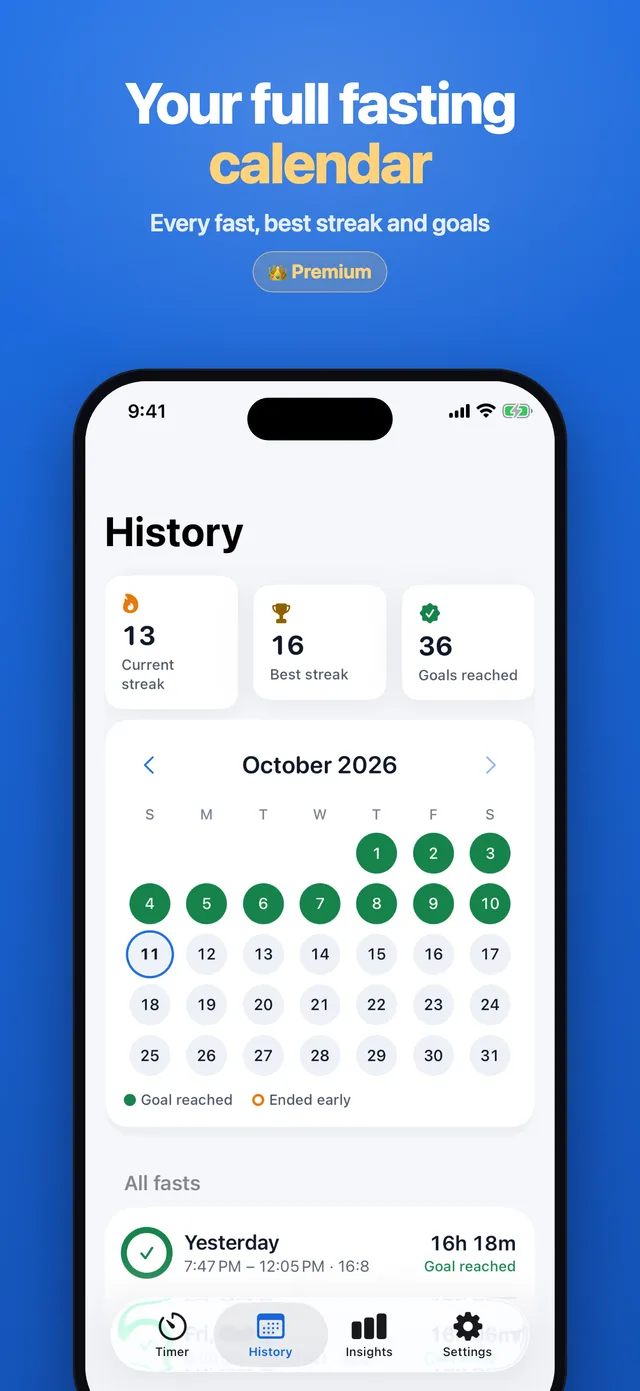
Insights and weight (Premium)
Full history with a calendar, best streak, average and longest fast, a weekly chart and weight tracking with optional Apple Health sync.
Free to download
The timer and the daily plans are free. Premium unlocks:
- Extended and custom fasts: 24h, 36h, 48h or your own length
- Full history with calendar, best streak, stats and charts
- Daily start reminder, stage alerts, weight with Apple Health and CSV export
FAQ
Questions
Support
Need help with Fasting Timer? Email support@enduranceapptitude.com and tell us your iPhone model and iOS version.
What is 16:8 intermittent fasting?
You fast for 16 hours and eat within an 8-hour window, for example from noon to 8 PM. Fasting Timer counts the 16 hours for you and tells you when your fast is complete.
Is Fasting Timer free?
Yes. The timer, the 12:12, 14:10, 16:8, 18:6, 20:4 and OMAD plans, fasting stages, streaks, water, widgets and the Live Activity are free. Premium is optional.
Does it show fasting stages like ketosis and autophagy?
Yes. The app shows the stage you are in as you fast. Stage timings are approximate and are general information, not medical advice.
Can I see my fast on the Lock Screen?
Yes. A Live Activity shows the running timer on the Lock Screen and in the Dynamic Island, and there are Home Screen and Lock Screen widgets.
Does it work with Apple Health?
With Premium you can save the weight and water you log to Apple Health. It is optional and your data stays on your iPhone.
Fasting stages are general information, not medical advice. Talk to your doctor before fasting, especially if you are pregnant, have diabetes or another medical condition.
Fasting Timer is coming to iPhone
Track your intermittent fast with a live timer, fasting stages and streaks, right on your Lock Screen.
More apps from Endurance Apptitude
 Birthday CountdownSee how many days until every birthday and get reminded before the big day.
 Contraction Tracker & TimerTime each contraction with one tap and see your pattern for the last hour.
 Fan NoiseReal fan sounds for sleep that keep playing with your screen locked.
 Tally CounterCount anything with a big + button, haptic feedback and as many counters as you need.