Tally Counter
For iPhone · Free with in-app purchases
A tally counter that keeps up with you
Tap the big + to count anything: reps, laps, people at the door, rows of knitting. Keep several named counters, subtract a mistake, reset with a confirmation, and feel every tap with haptic feedback.
Premium Insights shows your total, daily average and the hour you count most.
- Unlimited named counters
- Haptic feedback on every tap
- No account, no analytics

Screenshots
Inside the app
Features
What Tally Counter does
A big + button
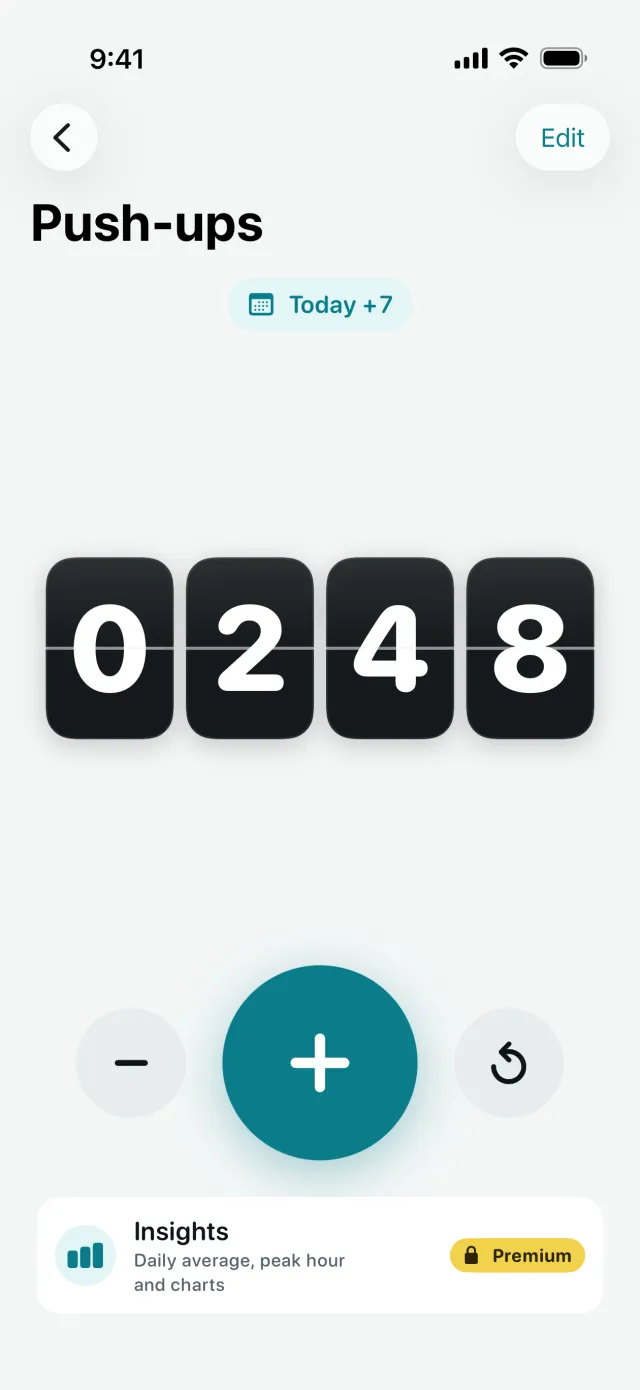
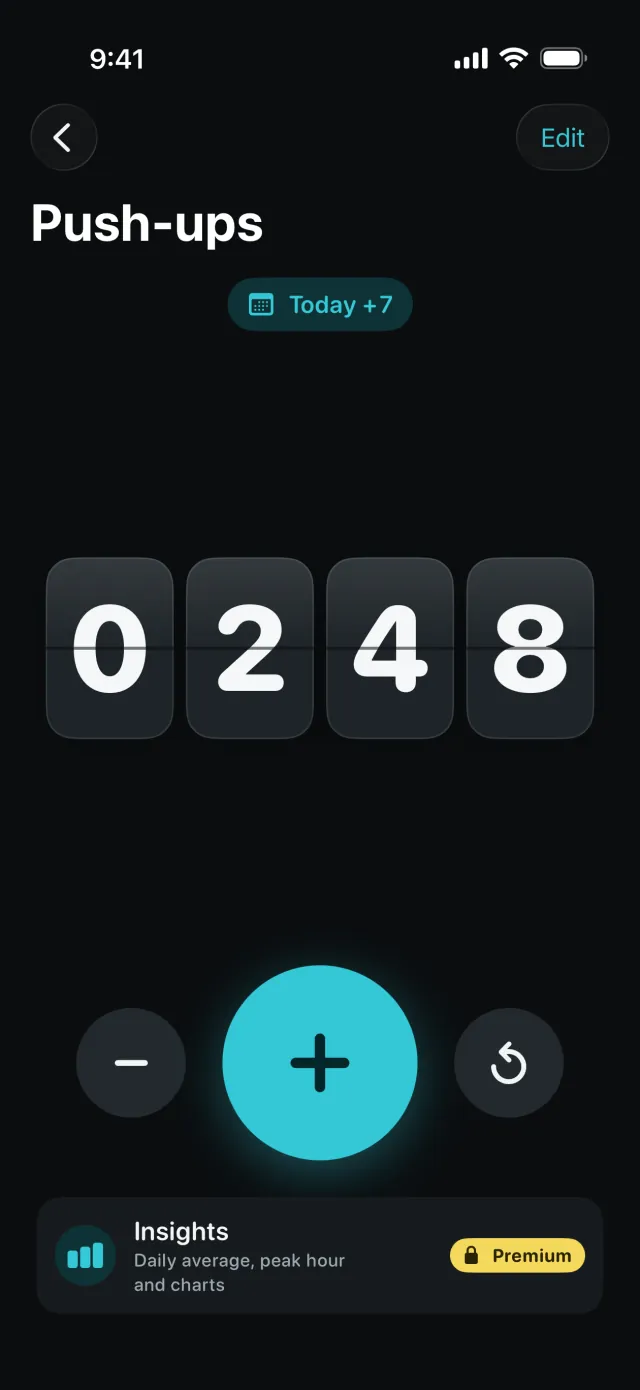
Count fast without looking. A flip-style display shows the number and a badge shows how much you added today.
Fix mistakes safely
The − button never goes below zero, and reset always asks for confirmation first.
As many counters as you need
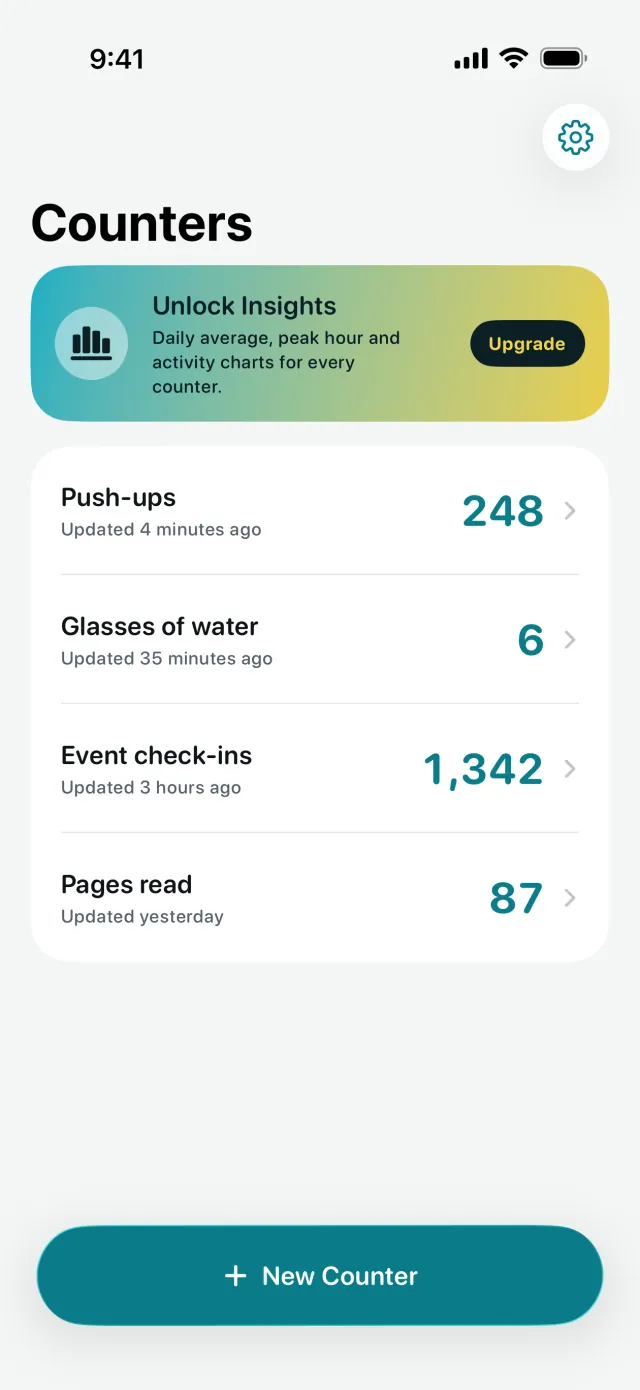
Create, rename and swipe to delete counters for push-ups, glasses of water, visitors or pages read.
Feel every tap
Haptic feedback for adding, subtracting and resetting. Turn it off in Settings if you prefer.
Insights (Premium)
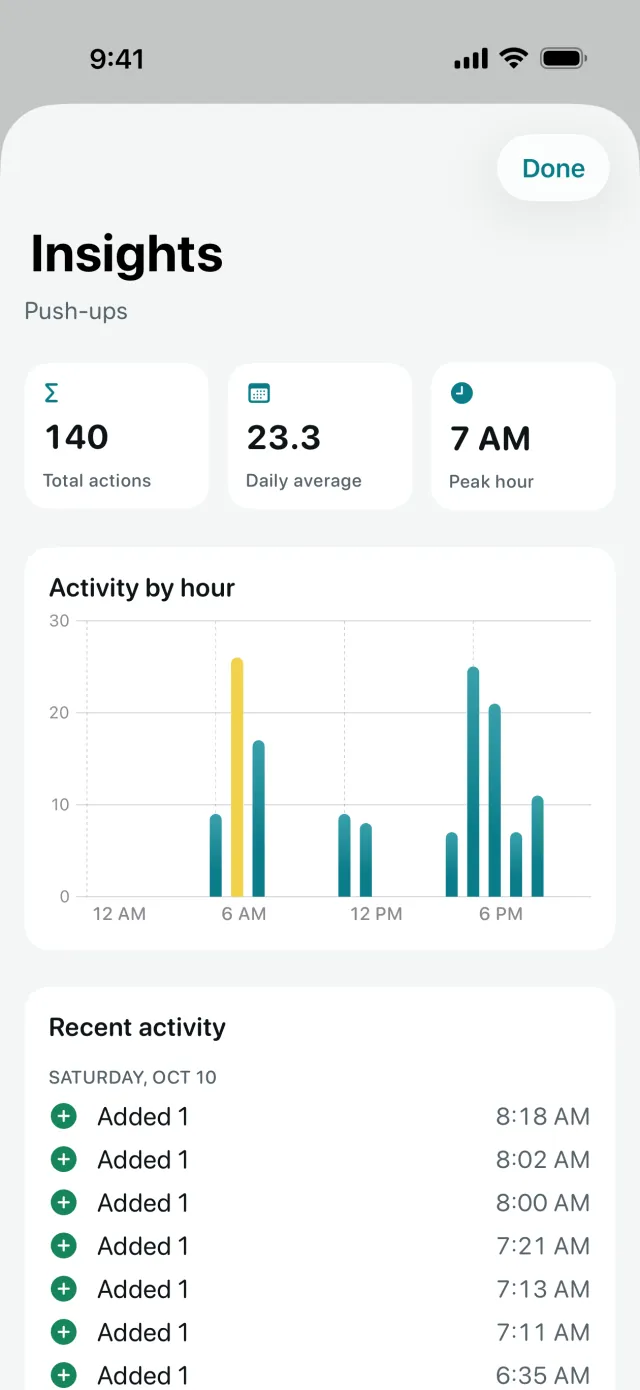
Total actions, daily average, peak hour, an activity-by-hour chart and a log of recent taps for each counter.
Free to download
Counting is free, with unlimited counters. Premium unlocks:
- Insights for every counter: total, daily average and peak hour
- Activity-by-hour chart
- Recent activity log
FAQ
Questions
Support
Need help with Tally Counter? Email support@enduranceapptitude.com and tell us your iPhone model and iOS version.
Is there a tally counter app for iPhone?
Yes. Tally Counter turns your iPhone into a clicker counter: tap the big + to add one, with haptic feedback so you can count without looking.
Can I keep more than one counter?
Yes, as many as you need, each with its own name and count. Counters are free and unlimited.
How do I undo a tap?
Tap − to subtract one. The count never goes below zero, and resetting to 0 always asks you to confirm.
Is Tally Counter free?
Yes. Counting is free with unlimited counters. Premium is optional and unlocks Insights: totals, daily average, peak hour and charts.
Does it need internet or an account?
No. Your counters are saved on your iPhone, the app has no account and no analytics SDK.
Get Tally Counter for iPhone
Count anything with a big + button, haptic feedback and as many counters as you need.